
Daily inputs
Role-based home screens, site diary, installed quantities and supporting photos.
Tru3 / Fitout Max
Management visibility across trade progress, procurement and commercial performance.
Book a live demoInteractive prototype · Example data
Built around fit-out contracting
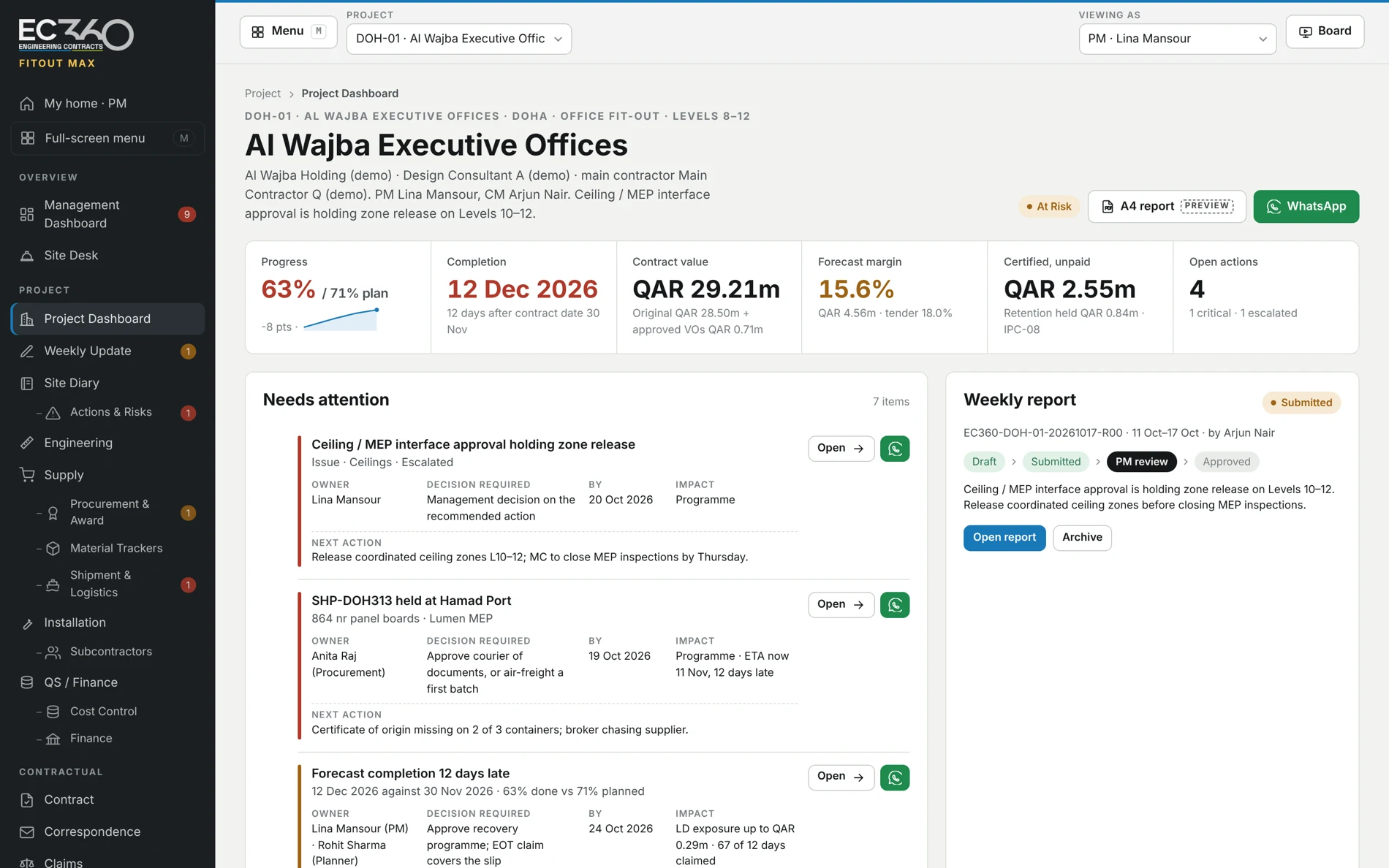
01 / Which trade or zone is behind?
Review reported progress, completion outlook and open issues in one project view. Ask what is holding the next trade or zone.
See it in a demo02 / Which award needs a decision?
Review quotations, scope exclusions, lead times and the award recommendation before management decides.
See it in a demo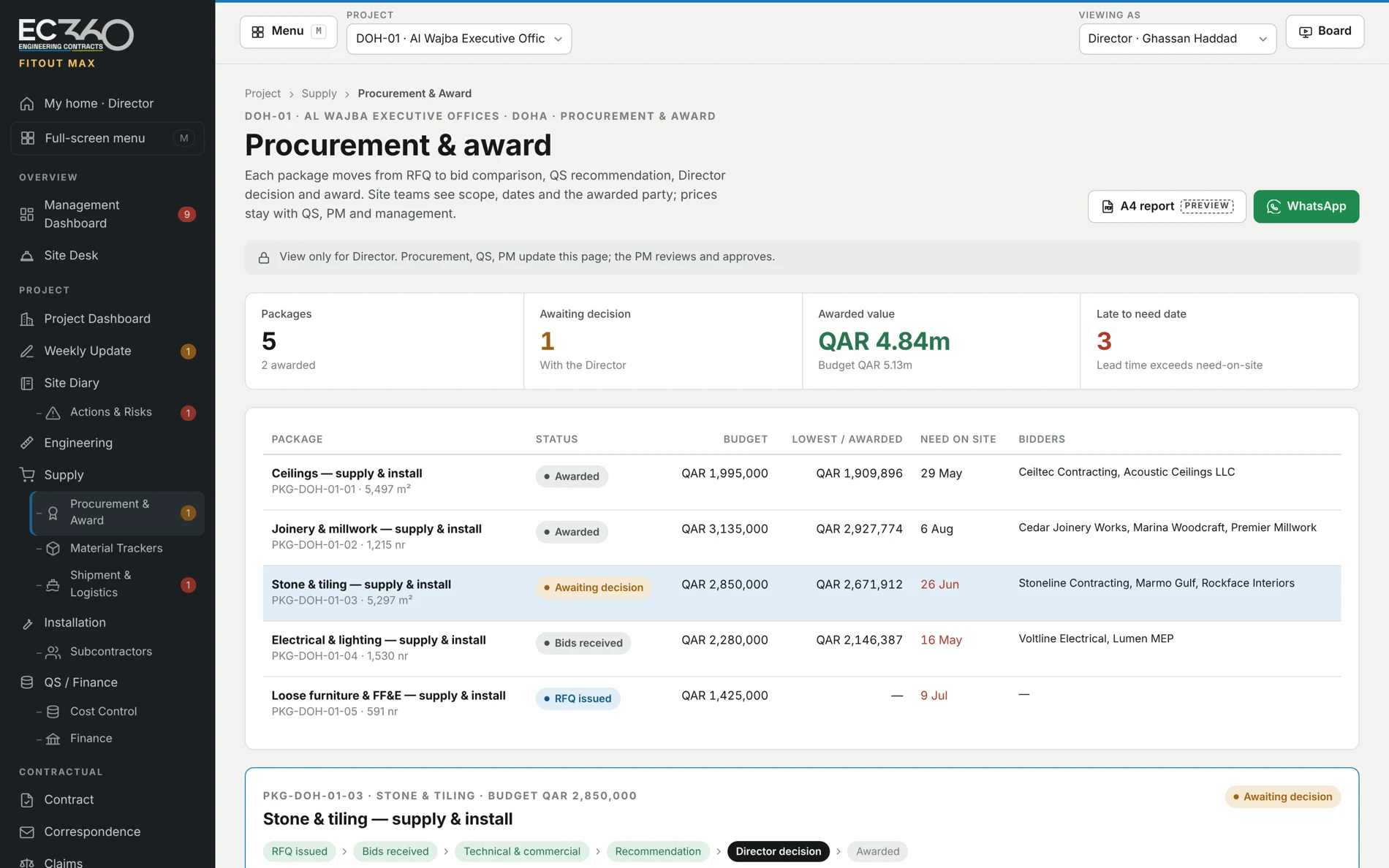
03 / Will the materials be ready?
Follow materials by trade and zone. Connect procurement and delivery status to the work that depends on them.
See it in a demo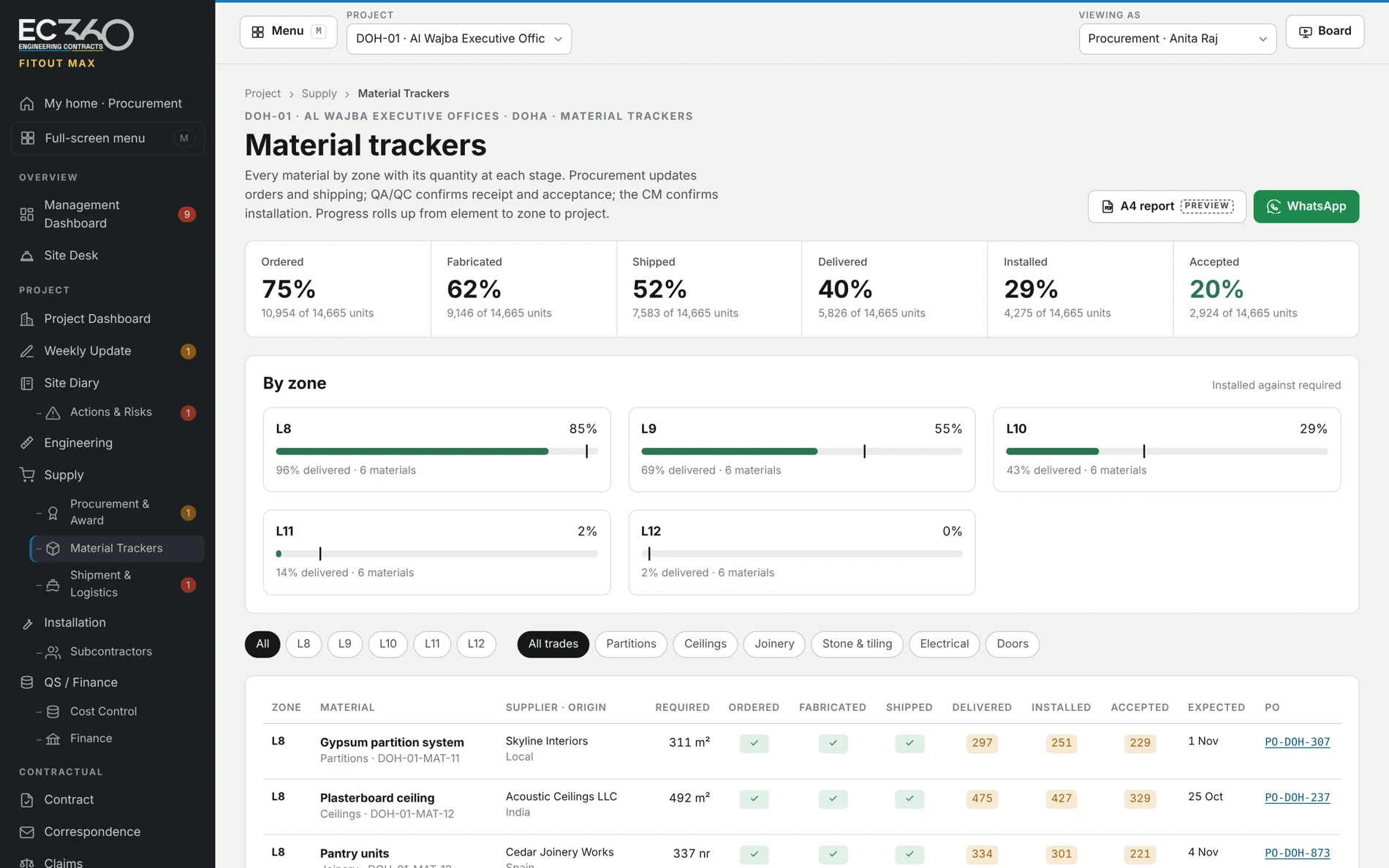
04 / Is the forecast moving?
Review budget, commitments, actual cost and forecast by cost head or trade. Keep applications, certification, receipts and outstanding balances distinct.
See it in a demo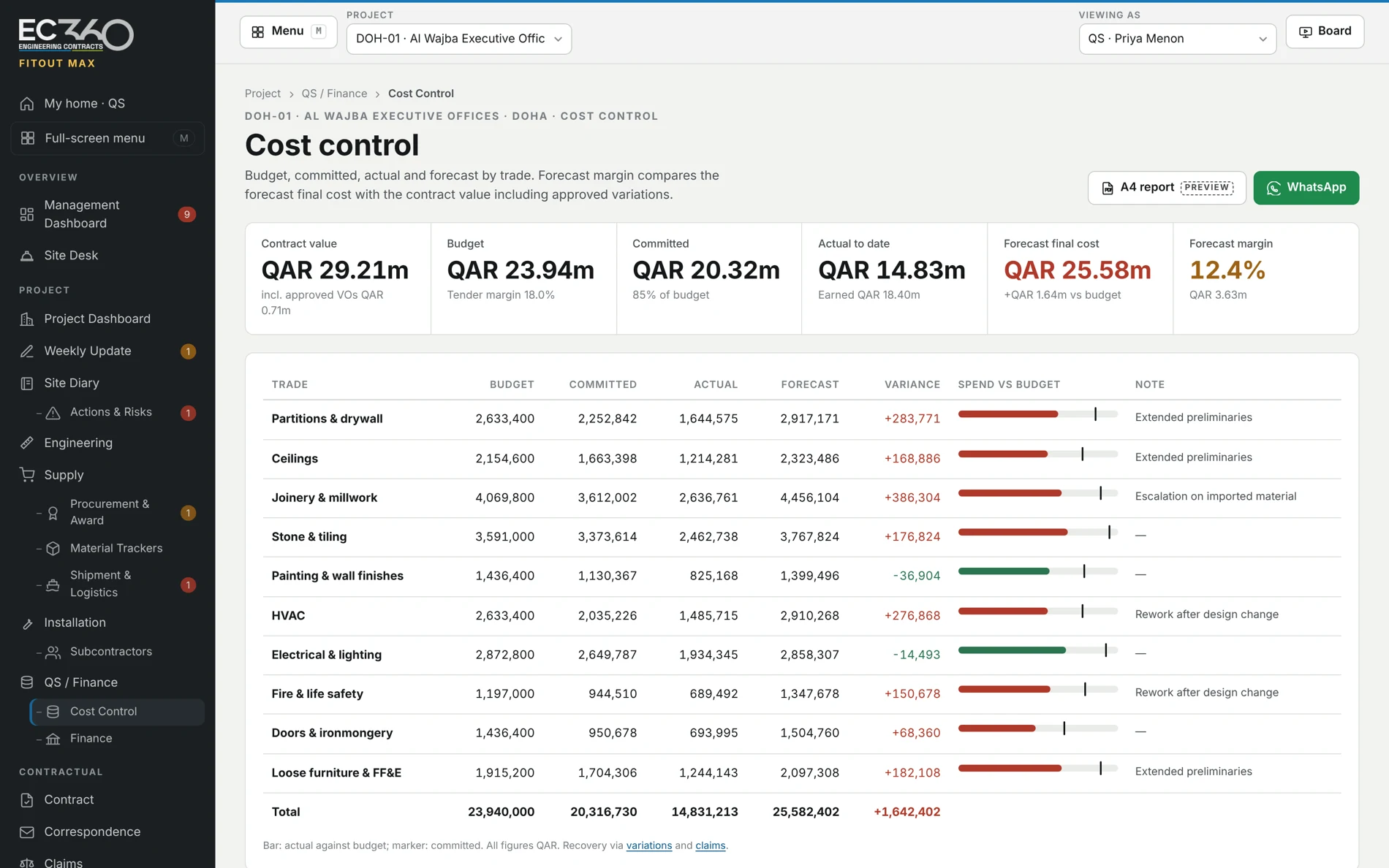
Across the project
Role-based home screens, site diary, installed quantities and supporting photos.
Project-manager review, A4 reports, WhatsApp sharing and board presentation views.
Actions, risks, NCRs and close-out records. Audit records for live use must be validated before the pilot.
The product today
The current materials show an interactive browser prototype. Shared storage, secure sign-in, enforced access, company separation, backup and recovery are required before live project data is introduced.
How we prepare a pilot ↗A clearer next decision
See Stone Max or Fitout Max with example data. Discuss a pilot around your own project.