
Site team records
Diary entries, installed quantities, photos and issues from the people doing the work.
The reporting workflow
Each team updates its part. Management sees progress, issues and priorities.
How it works
Diary entries, installed quantities, photos and issues from the people doing the work.
The PM reviews and approves the weekly report. Urgent escalations remain visibly separate.
Read progress, constraints and decisions in context, then follow actions through.
The working day
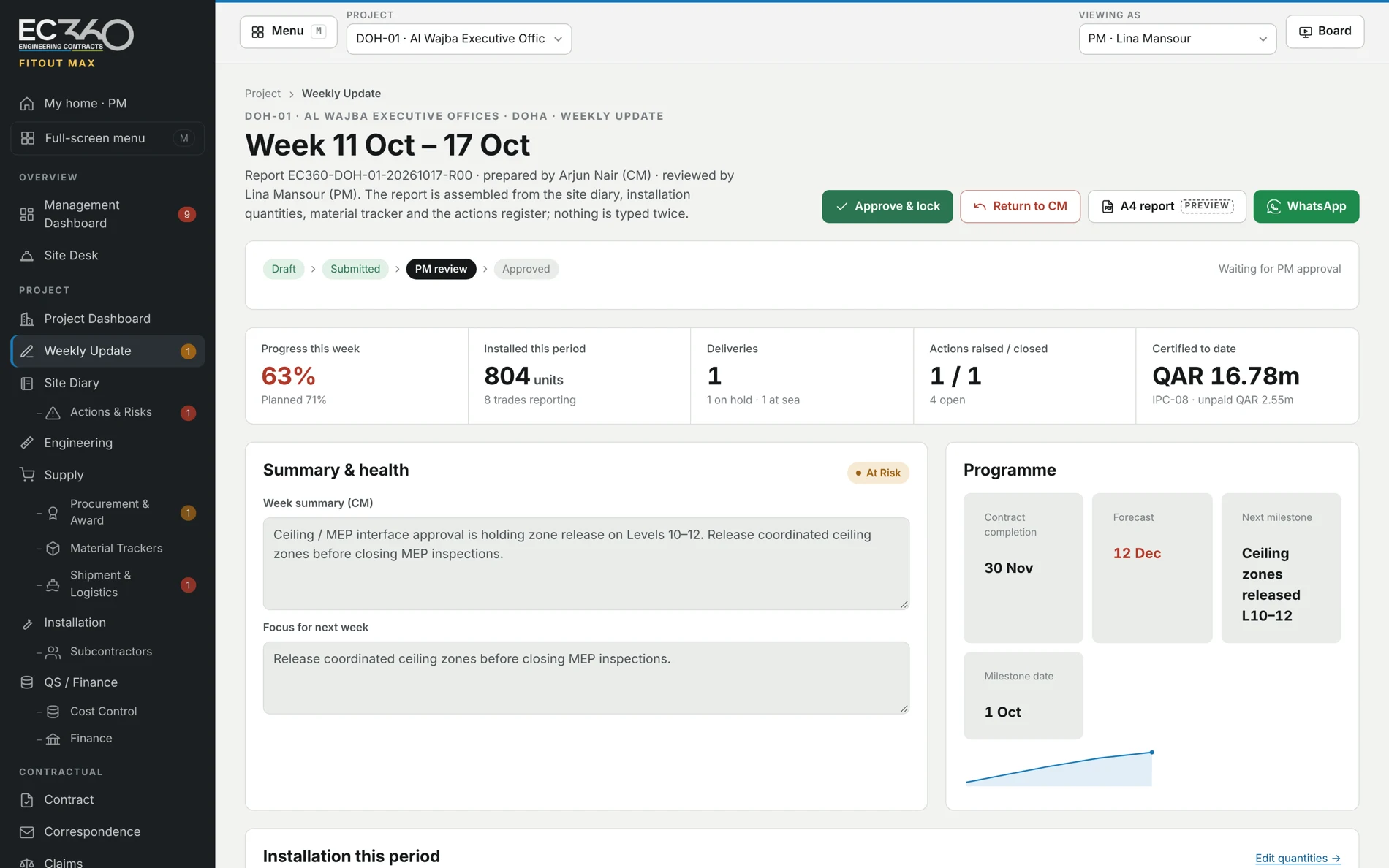
The diary, installed quantities and actions form the basis of the weekly report. The project manager reviews the position before it is presented as approved.
Critical escalations can be shown before weekly approval, visibly marked as unreviewed. A management view should make the date and status of its information clear.
Running across every stage
Diary entries and quantities provide context for reported progress, delays and recovery actions.
Awards, material trackers, shipment status, costs and payment records show where decisions are needed.
Inspection status, non-conformities and actions connect quality issues to the work they affect.
A clearer next decision
See Stone Max or Fitout Max with example data. Discuss a pilot around your own project.